Choose an album from the crate
Browse cover art, search a large collection, inspect track lists, and load an indexed album by double-clicking or dragging its cover.
Virtual Vinyl Player brings the deliberate pleasure of playing a record to the music already stored on your computer—album covers, sides, grooves, a moving tonearm, a spinning platter, and the quiet anticipation before the stylus lands.
For Windows desktop · Plays your local music files · Never alters the source audio
The demo plays 60 seconds of each track, then automatically advances to the next track on the record. Purchase and activate a license key to remove the time restriction and play every track in full.
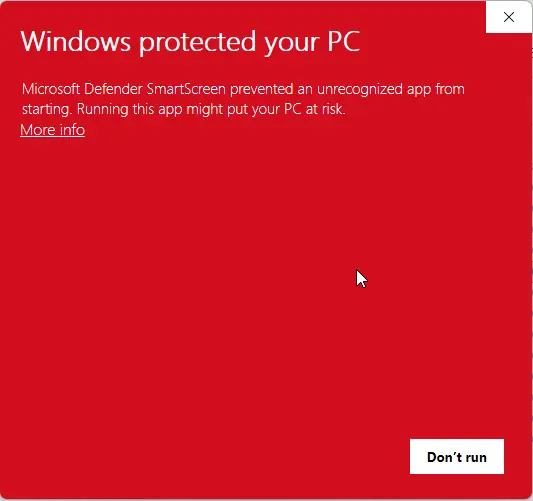
Download DemoMicrosoft Defender SmartScreen may display “Windows protected your PC” because the current independently distributed installer is not yet digitally signed. The notice does not by itself mean that the installer contains malware.
Continue only when you downloaded Virtual Vinyl Player directly from 65westapps.com. Keep SmartScreen and Microsoft Defender enabled.
Select More info in the SmartScreen window.
Confirm that you downloaded the official 65West Virtual Vinyl Player package from this page.
Select Run anyway to begin installation.
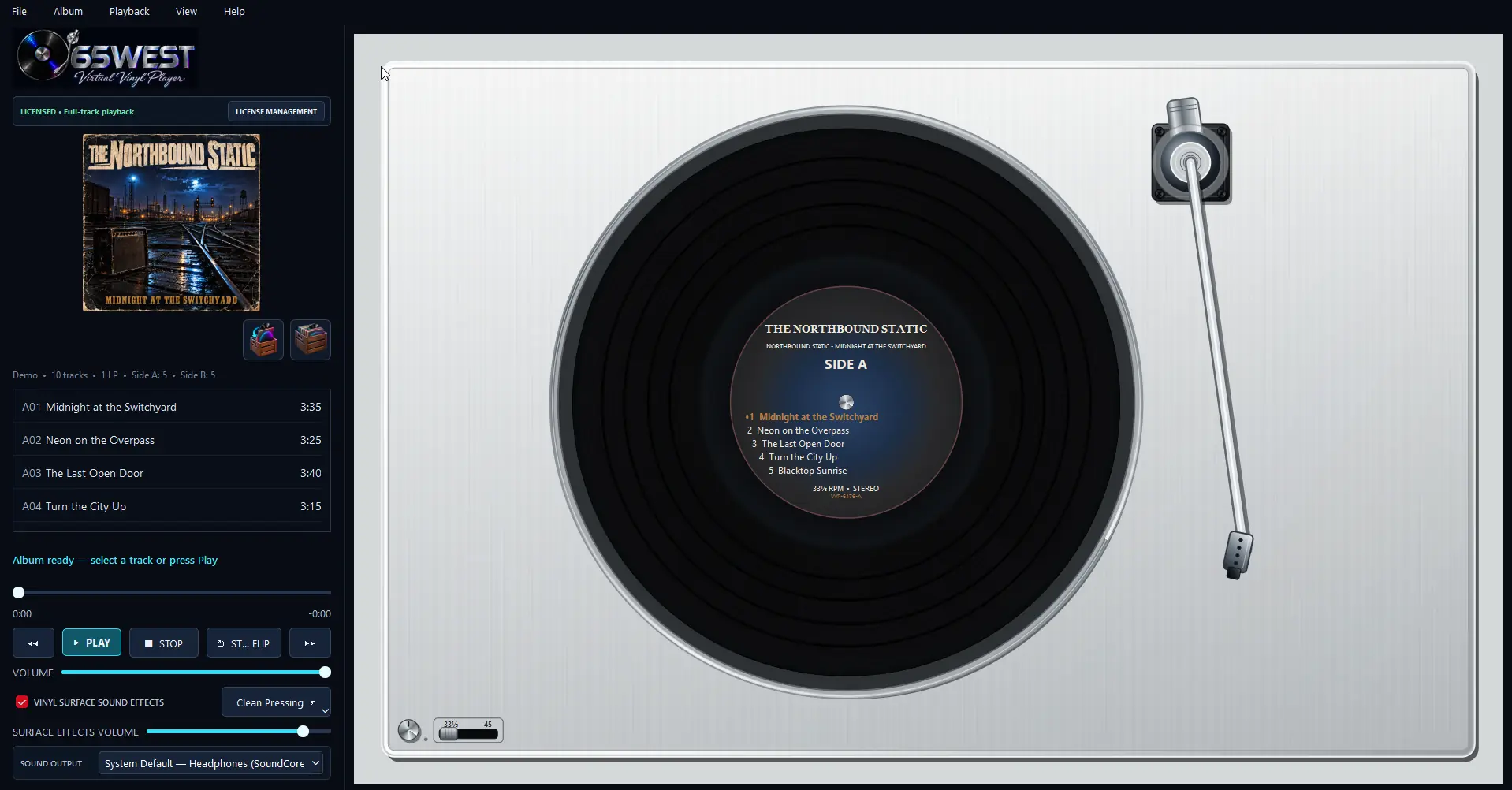
The application launches maximized in a two-panel layout: the album and controls remain close at hand on the left, while the virtual record, platter, label, grooves, tonearm, and stylus occupy the turntable on the right.
Browse cover art, search a large collection, inspect track lists, and load an indexed album by double-clicking or dragging its cover.
The player creates the record, divides tracks into sides, generates a boutique label, maps groove widths to real track durations, and cues the first track.
Audio begins only after the rigid tonearm reaches the correct groove and the stylus-contact cue completes.
The stylus gradually travels toward the center as playback progresses. Seeking moves it to the matching position inside the track band.
At the side boundary, the platter coasts to a complete stop before the record rises, turns over, and settles back onto the mat.
Optional surface texture continues while the stylus remains down, preserving the sense of one uninterrupted record side.
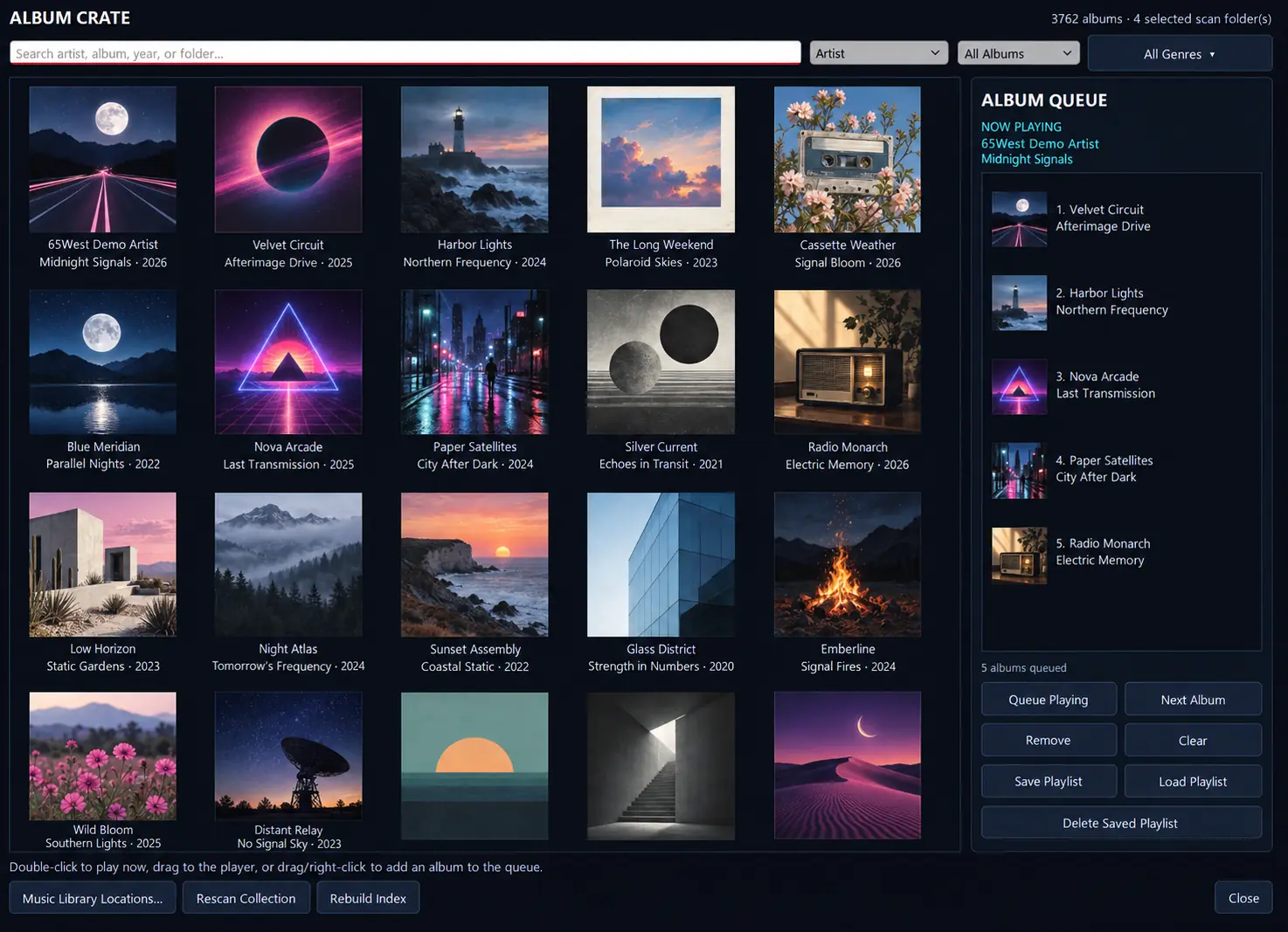
Select a main music-library directory and choose the subdirectories you want included. The Album Crate scans them recursively, indexes complete albums, prepares compact cover thumbnails, and builds the collection view in the background for a faster first opening. Then turn any set of records into an Album Queue you can play now or keep as a reusable album playlist.
The audio, platter, tonearm, stylus, grooves, and record sides behave as one system rather than as separate decoration.
Pause lifts the stylus slightly while the platter coasts. Resume accounts for the groove travel during that coast, lowers the stylus, and continues.
The tonearm makes a smooth distance-based movement to the selected track’s duration-mapped groove, followed by a brief needle-contact click.
Stop returns the album to Track 1 on Side A. Stop + Flip waits for a complete stop, turns the record over, and remains ready on the opposite side.
Drag the headshell across playable grooves and release it at an exact position. The player seeks to that point and begins after the contact cue.
The record is not a generic spinning image. Its track bands, label, speed, surface, center opening, and motion are calculated and rendered as parts of the loaded album.
The large on-screen disc uses slightly eased visual calibration so it reads like an LP instead of appearing to spin at 45 RPM. Audio timing and pitch remain unchanged.
Track 1 begins near the outer rim, with a compact lead-in area. Each track’s actual duration determines the width of its playable groove band.
Pause and Stop let the platter decelerate smoothly for approximately 2.2 seconds. A flip cannot begin until it reaches a complete stop.
The vinyl, grooves, label, label text, and transparent center opening rise together, enlarge to 120%, turn over, and seat while the platter and tonearm stay fixed.
Select any preview for a larger, detailed view. Every finish remains visible, so the page never shifts while you compare them.
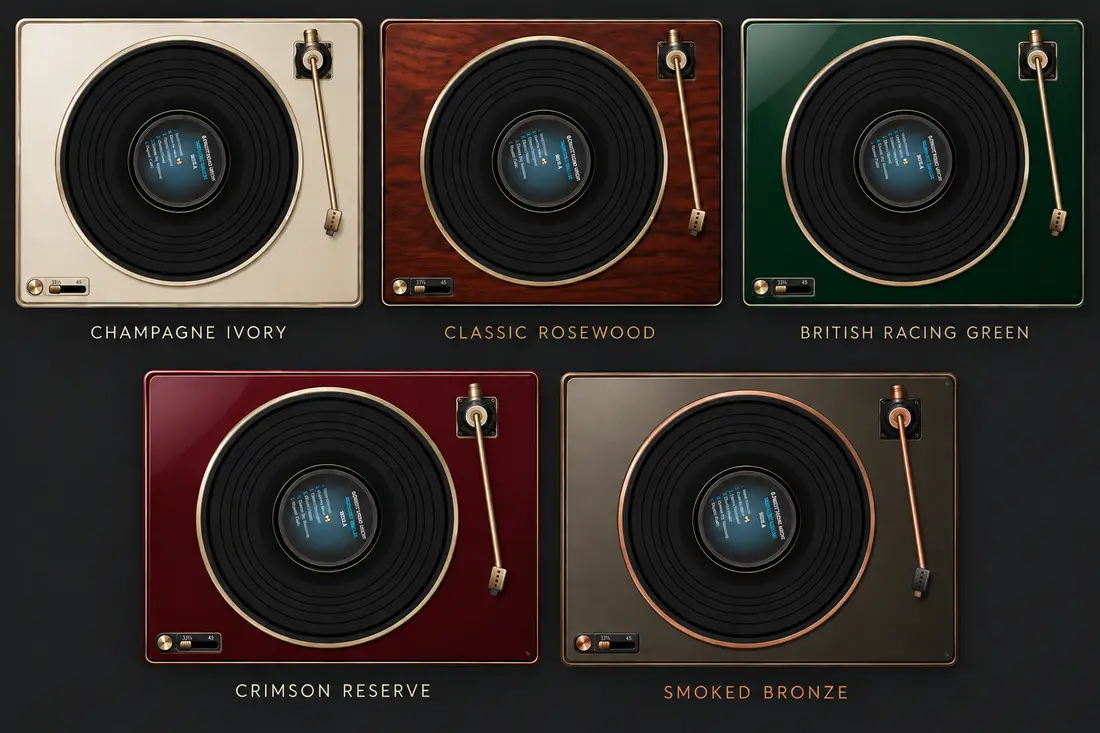
Five carefully crafted finishes inspired by classic hi-fi furniture, luxury materials, and enduring automotive color.
Requires Virtual Vinyl Player 1.5.0. Secure private download link delivered by email. Main application sold separately.
Add a non-destructive vinyl layer without modifying the music. The Surface Effects Volume controls its presence, while the main Volume control scales the music, surface effects, and stylus cues together.
Virtual Vinyl Player can treat one flat directory of sequential files as a complete record set. It estimates how many records are needed, creates an even number of sides, and distributes tracks as evenly as possible.
Choose a maximum of seven or eight tracks per side. The default eight-track setting uses the fewest complete two-sided records needed without exceeding the limit.
For a normal two-side album, identify the actual first track of Side B. Saved layouts can be reset and rebuilt automatically at any time.
A-to-B and C-to-D transitions flip the current record. B-to-C and D-to-E transitions briefly reveal the empty graphite platter while the next record is placed.
The label shows the artist, album title, current side, assigned tracks, and—when needed—the current record number. Track numbers appear as A01, B01, C01, and so on.
The compact equalizer shapes album music only. Choose Flat, Warm Vinyl, Rock, Jazz, Vocal, Bass Boost, or adjust the preamp and seven frequency bands to create a custom curve.
Artwork can come from embedded images, preferred cover files, another image in the album folder, or an online MusicBrainz and Cover Art Archive lookup. Local overrides and downloaded covers are stored with the application—not written into the album directory.
The player reads the collection but does not rename, retag, normalize, move, or delete source audio files. Equalization, normalization, artwork overrides, indexes, and caches remain inside application data.
On first launch, the player prepares its own private Python runtime. It does not require or modify the system Python installation.
The loaded cover is proportionally fitted into a fixed 225 × 225 black container. Non-square art is centered without stretching or cropping.
Press F11 to concentrate on the turntable. Press Esc or F11 again to return to the maximized two-panel interface.
The demo is designed to let you experience your own collection, the Album Crate and Album Queue, the animated turntable, and the playback workflow. Its restriction is applied to track playback time.
$29.95 USD — one-time perpetual license for two devices. Applicable taxes may be added at checkout. Device deactivation and transfer supported.
Designed for 64-bit Windows PCs. Try the demo with your own music collection and audio device before purchasing.
Successfully tested on Windows 11 PCs with 16 GB and 32 GB RAM.
The 32 GB system uses an Intel Core i5-11400H processor. These tests confirm operation on those systems; minimum processor and graphics specifications have not yet been established.
Try the demo with your own music collection and playback device to check performance on your PC.
Browse the crate. Choose a record. Watch the stylus find the groove. Then unlock complete tracks when you are ready.